
How to Upload a Major Paper into the University Digital Repository - Scholarship@UWindsor

The following instructions are applicable to MAJOR PAPER or INTERNSHIP PAPER documents only - there are separate upload instructions for a Thesis or Dissertation.

To upload a MAJOR PAPER or an INTERNSHIP PAPER:

Go to uwindsor.scholaris.ca/home, the Scholarship@UWindsor repository main page.

In the top-right corner of the page, click on "Log In", and select "Login with UWin Account" at the bottom of the drop-down - shown with the red arrow:
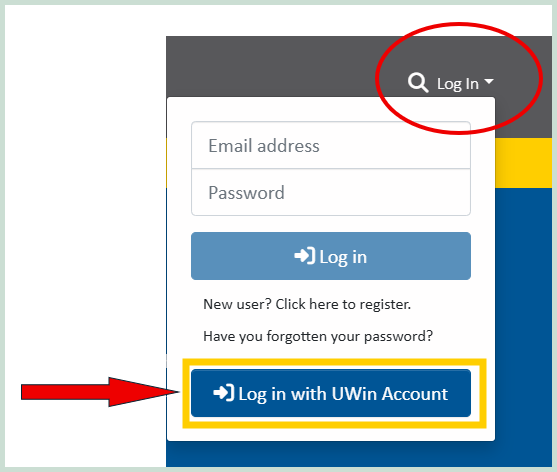
LOGIN

Insert your UWinID and password to log into the repository.

After logging in with your UWinID and password, navigate to the top-right corner of the page and click on the cicle shaped user icon, then select "My Scholarship@UWindsor" - shown with the red arrow below: 
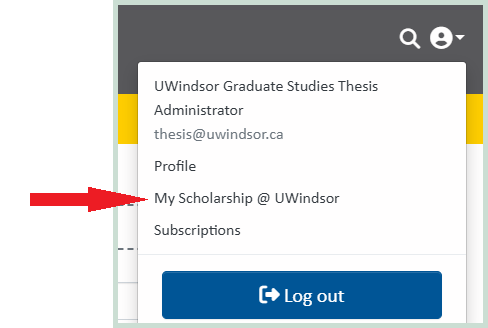
Login instructions - myScholarhsip

Selecting "My Scholarship@UWindsor" will open up the submissions page below.

Upload your major paper PDF file by drag & drop, or by clicking on "Browse" to select your major paper PDF file on your computer:
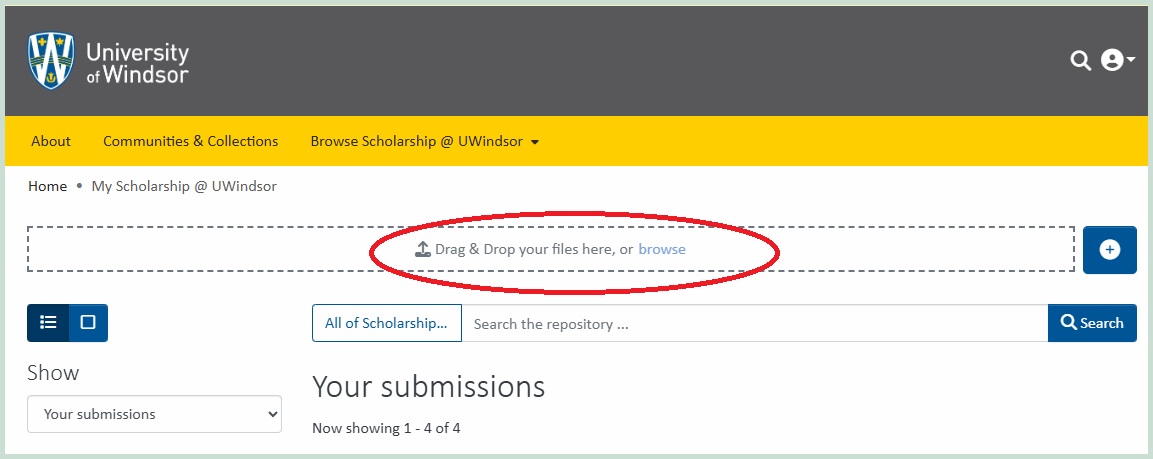
Login instructions - upload

After selecting your PDF file, the "Search for a collection" text-box will be displayed - shown with the red arrow:
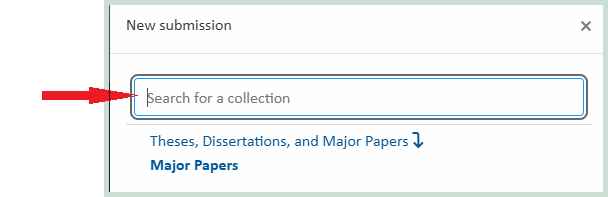
upload instructions - Search for major papers

Type "major papers" in the search text-box, then select "Major Papers" - shown in the red oval:
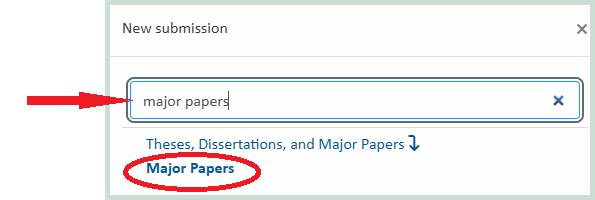
Upload instructions - select collection Major Papers

The following submission form will be displayed after selecting the Major Papers collection. Populate all required (*) information: your Last and First Name; the full Title of your major paper; your major paper Abstract (copied from your major paper PDF file) into the "Abstract" field, etc.:
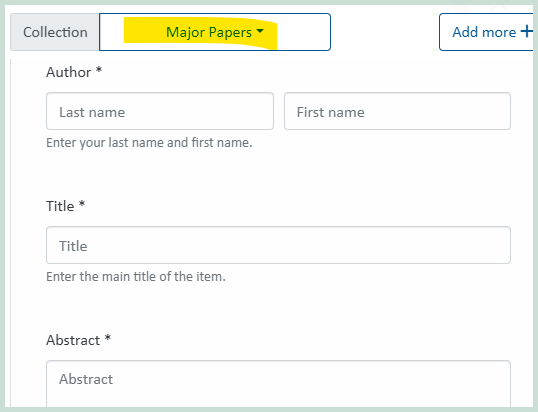
Major Paper uploading instructions screenshot

Continue to populate the rest of the information - your Supervisor, Program Reader, Degree, Department, etc.

At the end, read through and agree to the non-exclusive license then click on the green "Deposit" button in the bottom right after you are done:
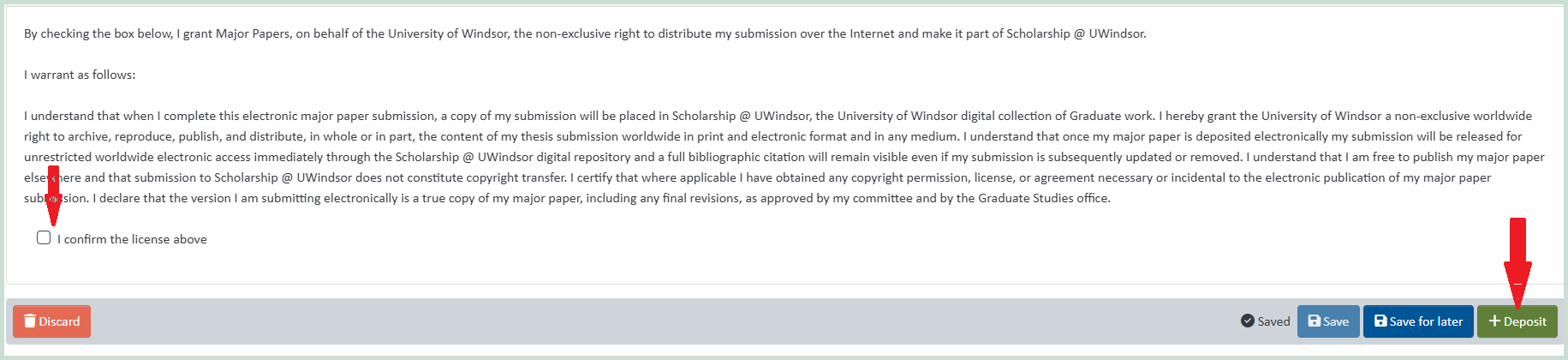
upload instructions - confirm and submit

 
You will receive an automatic email confirming that your Major Paper submission was successful. If you do not receive a confirmation email after uploading, check to make sure you have clicked on "Deposit" at the end of your submission.

Next Step:

After uploading, proceed promptly to email your required forms to graduate studies as outlined under "Deposit Step #2 of 2 - email required forms"
 
Your uploaded PDF will be queued for review and approval by Graduate Studies, and within the next few days you will receive a second follow-up email from the Graduate Studies Thesis Administrator (thesis@uwindsor.ca), which will either confirm that your uploaded major paper was approved or otherwise provide instructions about any adjustments that may be required. Do not wait for the follow-up approval email from the Thesis Administrator as during peak submission times it may take 3-5 business days for your uploaded submission to be reviewed by Graduate Studies - after uploading your major paper PDF file, proceed promptly to email your required forms to graduate studies as outlined under "Deposit Step #2 of 2 - email required forms"
If any required edits to the uploaded Major Paper are subsequently determined by Graduate Studies they will be outlined in the follow-up email and you will be responsible for completing these adjustments and re-uploading your updated PDF file.