In the Drupal system, you can unpublish (turn off) a page within your website. Unpublishing a page will remove it from the main menu and it will no longer be visible to the public.
The page will continue to exist in your site with all its content and links preserved. It will simply have an unpublished designation. Only logged in editors will be able to see the page.
Step 1
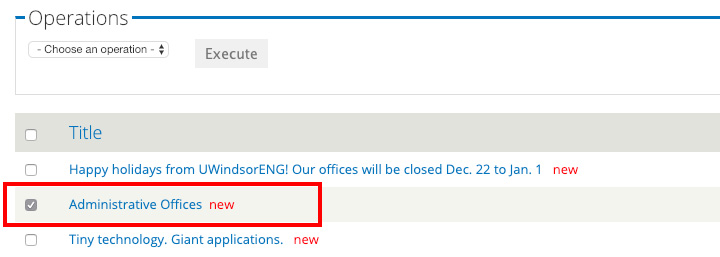
To unpublish a page, find the page in your Content list and check the box next to the page title:
Step 2
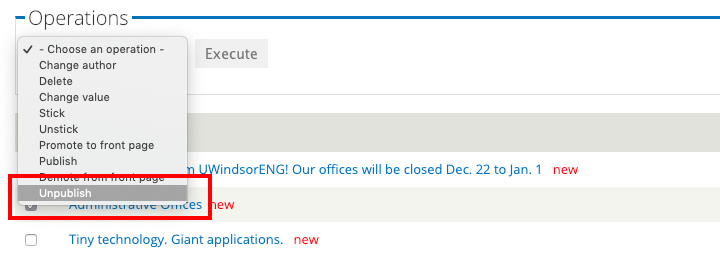
From the drop-down menu under Operations, select Unpublish:
Step 3
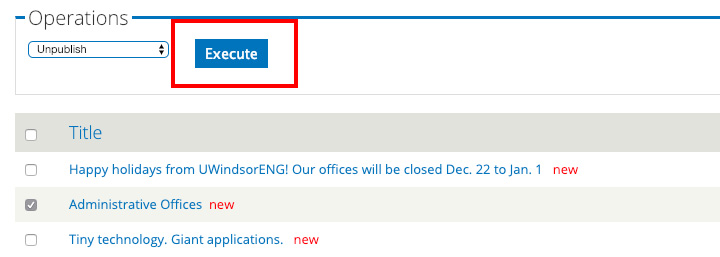
Then select Execute:
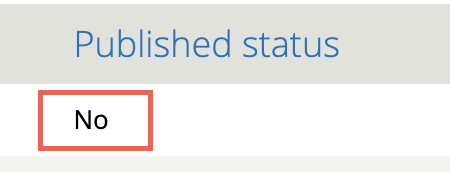
Find "Published status" column. Your file should now be marked "No".