
All Stories

man looking scared at computer

As much as 56 percent of email is spam, 40 percent of websites are fake, and 21 percent of phone apps are malicious, says Kevin Macnaughton, team leader security in Information Technology Services.

The internet can be a risky place — but users can take steps to minimize that risk.

“Antivirus is tried and true,” Macnaughton says.  It’s like putting on your seatbelt when you get in the car. It should be mandatory and automatic.”

But he suggests other activities that should be automatic, listing three fundamental practices for securing computers from hackers:

  1. Look for the lock in the address bar for every website that you use.
  2. Use a Virtual Private Network (VPN) when using the Internet in public spaces to secure your data
  3. Patch and Reboot your system regularly to ensure your computer is up to date and protected

Led by IT Services, Cybersecurity Awareness Month efforts highlight cybersecurity issues relevant to the UWindsor community. More information, along with how you can protect yourself, can be found at uwindsor.ca/cybersecurity. This website will be updated regularly with best practices and current threats.
The current version of GlobalProtect client 4.0.6, will be replaced Thursday, October 24th, 2019 by version 5.0.5, which offers support for the latest versions of macOS Catalina 10.15 and Windows 10.

If you have any questions or need additional information, please don’t hesitate to contact ServiceDesk by opening a ticket at the IT Services Client Support Portal or by calling ext. 4440.

man looking at laptop computer in terror

Love them or hate them, passwords have become part of daily life, says Kevin Macnaughton, team leader security in Information Technology Services.

“They are our primary defence against account compromise by thieves and hackers,” he says. “Having a weak password is almost worse than having no password at all — like a faulty lock or a faulty seatbelt.”

He lists two fundamental password practices for securing personal and work lives from hackers:

  1. Use unique passwords for every website or system that you use.
  1. Change your passwords regularly not only at work, but in your personal life as well. 

To make easy work of managing your passwords, IT Services recommends using a password manager, such as KeePass. Multifactor Authentication, which increases account security when away from campus, is also available.

Users can sign up with IT Services in advance of a campus-wide roll out. More information on these tools and password management in general is available on the Password Management page of the cybersecurity website.

Led by IT Services, Cybersecurity Awareness Month initiatives highlight cybersecurity issues relevant to the UWindsor community. More information, along with how you can protect yourself, can be found at uwindsor.ca/cybersecurity. This website will be updated regularly with best practices and current threats.

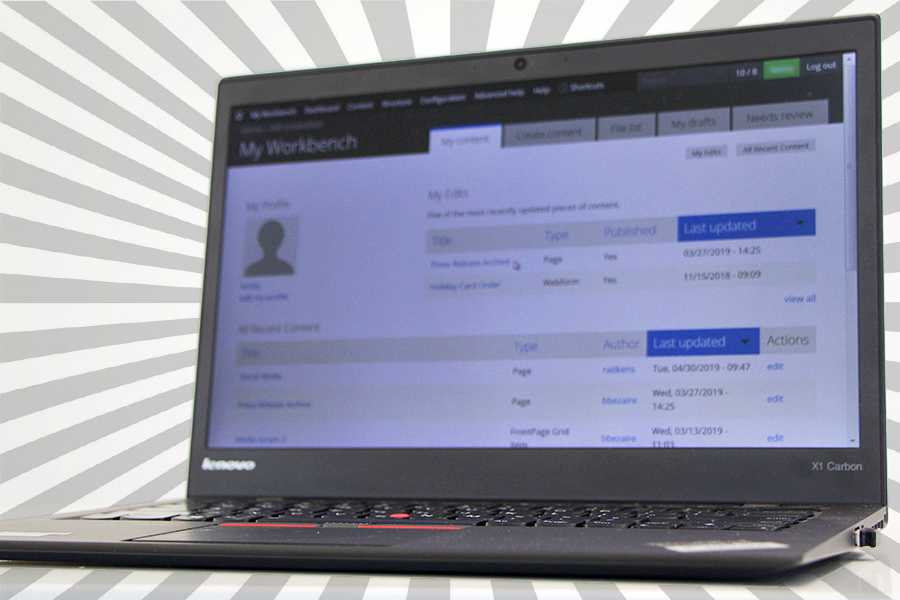
A free class for UWindsor employees will instruct them in the basics of the University’s website content management system.

A free class Tuesday, Oct. 22, will teach the basics of the Drupal content management system to staff and faculty responsible for maintaining UWindsor websites.

Website Basic Training will show site editors how to create pages and events, upload graphics, and use menus and blocks, says instructor Rob Aitkens, web development team lead in Information Technology Services.

He will also cover University and legislative guidelines for posting content.

The class is required for all employees responsible for maintaining UWindsor websites and is valuable for those with little previous experience with the system, for those upgrading their sites from version 6 to 7, or as a refresher. It will run 1:30 to 4 p.m. in G101, Leddy Library. Registration is required through this online form.

Cybersecurity Awareness Month: How to Spot Phishing Attempts

The University is targeted with fraudulent e-mails on a daily basis. Readers need to be constantly alert to the possibility that an e-mail is not legitimate.

Phishing Scams work by tricking you into clicking on a link or attachment in the e-mail that infects your machine or directs you to an imitation web site that steals your password. Sometimes the sender may want you to reply so that they can convince you to do something for them. Spear Phishing is a fraudulent message customized for a particular person or department. A common spear phishing scam targeting campus is the Gift Card Scam where you’re asked to buy gift cards for your boss and reply back with the activation codes.

How Do I Spot a Phishing Scam?

1. Think: Consider the request in detail. Is this normal or expected behaviour from this person?

2. Pause: The message has an unusual sense of urgency, requiring your immediate attention.

3. Identify: Check very carefully the sender’s name and email address. Does it look right?

4. React: Be warned by spelling errors, bad grammar, odd formatting, or missing signatures.

5. Links: When you hover over the link, the web address is suspicious.

6. Logins: The message asks you to log in or provide personal information to a website.

7. Files: There is an attachment you were not expecting, like an invoice.

You can see examples of phishing messages on the Cybersecurity Awareness website.

How Can I Avoid Getting Hooked by a Phishing Scam?

1. Call the sender to verify. If there's any doubt at all, make a call.

2. If you’re on a mobile device, wait until you’re on a computer so you can check more carefully.

3. Do not reply or act on unusual or out of character emails. Question urgency.

4. Do not open e-mail attachments or click links in suspicious e-mails. Hover the mouse over the link to reveal the real destination address.

5. Check the URL of login pages carefully! Make sure it is a login page you’ve used before.

What Should I do if I Suspect a Message is Phishing?

Please report a phishing scam or spam email by forwarding the message as an attachment to spam@uwindsor.ca or contact the ServiceDesk at ext. 4440.

Led by IT Services, Cybersecurity Awareness Month initiatives bring highlight cybersecurity issues relevant to the UWindsor community. More information, along with how you can protect yourself, can be found at uwindsor.ca/cybersecurity. This website will be updated regularly with best practices and current threats.