All Stories

man cowering while laptop burns

Over the past year, the University has been the victim of online security attacks.

“We’ve seen trends in the types of attacks that happen on campus,” says Kevin Macnaughton, team leader security in IT Services. “We hope that revealing some of these to the campus will go a long way in helping staff avoid these common scams.”

Phishing

  • Gift Card Scam: the attacker sends an e-mail to the victim that looks like it comes from their boss. In the email, the victim is asked to buy some gift cards and reply to the email with the activation codes.
  • Scareware attack: the attacker sends an email claiming that they have access to your computer and have observed you surfing pornography. They threaten to expose you unless you pay them, typically using a digital cryptocurrency like Bitcoin.
  • JOB ALERT scam: This is an information-gathering scam, where the sender hopes that you will provide useful information, such as your full name, location and cellphone number.

Ransomware

The attackers have installed malicious software on your computer that prevents access to the data on the hard drive and network shares. Once they’ve locked you out of the files, they display a notice on the screen asking for a cash payment in order to give you the key to access the files.

Account Compromise

The attacker learns the username and password to an account. Once they log in, they can abuse the account to send spam, conduct a phishing campaign, or try to access resources and steal confidential data. Over the past year, the University has suffered 64 compromised staff accounts, and have learned of more than 3,500 uwindsor.ca accounts exposed on the Internet.

Loss of Computer Equipment

Information, especially personal information, is very valuable. Attackers will steal computer equipment not just for their resale value, but also for the information they may contain.

Led by IT Services, Cybersecurity Awareness Month efforts will bring awareness to the above topics. More information, along with how you can protect yourself, is available at uwindsor.ca/cybersecurity, which will be updated regularly with best practices and current threats.

Lady sitting next to window working on her laptop

When you connect your wireless WIFI device (phone/PC/Mac) to the network, you will see the available wireless networks listed which you can try to connect to. Along with a few others, the primary list will include:

  • eduroam
  • uwinsecure
  • uwindsor

Which should you use? The short answer is “Connect to eduroam”. The eduroam wireless network is available to all wireless users (Students/Faculty/Staff/guests). Plus it has the additional benefit that users from other eduroam institutions (many universities, for example) can also connect to the University of Windsor’s wireless network using their home institution’s crededentials.

Once you initially connect to eduroam, the next time you connect, the saved password will be used automatically to log in. This causes an unfortunate side-effect on most devices when your password changes however. To avoid using the old password, after you change your password you should go to the wireless settings on your device and “forget” the eduroam network. When you reconnect, you should be prompted for the new password which will again be saved until the next time your password changes.

University of Windsor Faculty and Staff can also use the uwinsecure wireless network. Access to printers are available from this network. This network has the same password change idiosyncrasies as eduroam mentioned above.

The uwindsor wireless network is available for use but should only be used as a last resort. Unlike eduroam and uwinsecure, the uwindsor network does not encrypt the network traffic. So, for example, if you are accessing network applications using a protocol which is insecure, (eg. http instead of https), then everyone else using the uwindsor network in the vicinity could view your network activity. The wireless network called uwindsor is not secure.

More information is available in the Knowledge Base. Please see https://uwindsor.teamdynamix.com/TDClient/KB/?CategoryID=2616

faculty member cringing as computer smokes

A new campaign on campus aims to bring awareness of cybersecurity issues that affect faculty, staff, and students.

Led by Information Technology Services, the cybersecurity campaign will focus on themes of general security, phishing, passwords, and safe browsing; it will launch in October, National Cybersecurity Awareness Month.

The campaign will feature content on campus public displays, articles in DailyNews, and targeted e-mails to the campus community. 

“We hope to educate the campus community on cybersecurity best practices and common attacks that have occurred on campus,” says Kevin Macnaughton, team leader security in IT Services. “Security sometimes can seem like a nuisance but the risk of falling for some of these common attacks is too great — we’ve seen it here on campus.” 

To kick off the campaign, IT Services staff is asking the campus community to fill out this short survey to provide a baseline of current cybersecurity knowledge, and to direct the focus of future awareness efforts.

All of the cybersecurity information can be located on the website at uwindsor.ca/cybersecurity, which will be updated regularly with best practices and current threats.

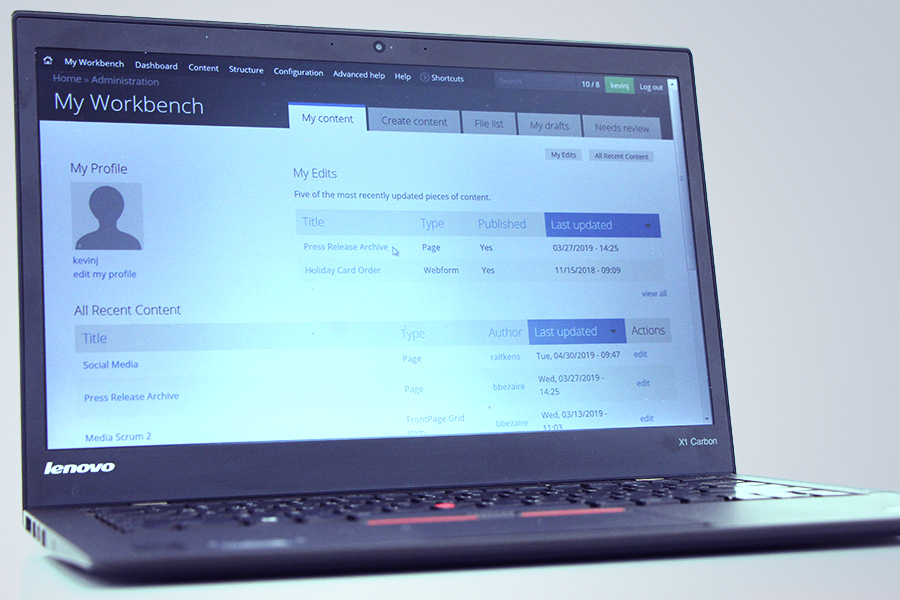
laptop displaying Drupal screens

A free class in Website Basic Training for UWindsor faculty and staff on Tuesday, Sept. 19, is the first of the fall semester, advises instructor Rob Aitkens.

Web development team lead in Information Technology Services, he will teach the basics of the Drupal content management system: University and legislative guidelines for posting content, as well as how to create pages and events, upload graphics, and use menus and blocks.

The training is required for all employees responsible for maintaining UWindsor websites and is valuable for those with little previous experience with the system, for those upgrading their sites from version 6 to 7, or as a refresher. It will run 1:30 to 4 p.m. in the University Computer Centre classroom. Registration is required through this online form.

cartoon of person sitting at computer

Information Technology Services is upgrading more than 70 computers in general-purpose classrooms across campus for the start of Fall 2019 classes.

Windows 10 and the latest version of Microsoft Office 365 are being installed on all machines. Going forward, updates will be completed automatically ensuring these classroom computers match university computer standards.

“With these upgrades, general-purpose classroom computers will be faster than before,” says Stephen Karamatos, manager of technology and innovation for IT Services. “They will also provide access to your OneDrive files from within Office applications such as PowerPoint. So, you don’t need to remember to bring a USB with your presentation on it anymore.”

Faculty, staff, and students will be able to sign in to these computers with their uwinid@uwindsor.ca email address and UWin Account password. Off-campus users may log in as guests to use the system without a password. Instructions for logging in and out will be located by each computer.

For more information about general-purpose classroom computers, including storage, a list of the installed software, and what to expect when you log in, read this article.

These upgrades are part of the Y2K20 Project being undertaken by Information Technology Services and departmental IT staff. The process of upgrading other (non-general purpose) classroom computers on campus is also underway. Classrooms in education and law were upgraded during the summer. Work will continue into Winter 2020 on the remaining classroom computers.